Chapter 1: Jeremy Awakens
Part 1: Discovering the Supercomputer
Writing in the journal on the PC
After the opening cinematic, you play as Jeremy Belpois, a student at Kadic Academy. Take control of the character and guide Jeremy to his desktop computer. Once next to the chair, press Space (interaction key) so that he can sits down. You can now observe the entire room in first-person view. Click on the screen to turn on the computer.

To interact with an interface (computer, Supercomputer console…), you must enter the 'Interface' view mode. Simply click on the screen of a powered-on interface.
Once in this mode, you can interact with all interface elements just like you would with your own computer. For example, you can move windows with your mouse.
Feel free to try clicking on different buttons and windows to see how certain programs respond. When you're ready, click on the symbol located in the taskbar at the bottom left to open Jeremy's journal.

You need to enter the current date (displayed in the 'Clock' window) so Jeremy can write a new entry in his journal. By default, anything you type on your keyboard is writen in the command terminal. To change the focus to another window, you can either use the key combination Ctrl + Tab, or double-click directly on the window where you want to write. Once the correct date is entered, click on the window so Jeremy can start writing.

Going to the sewer entrance in the park
After reading what Jeremy wrote in his journal, you will go back a few hours earlier in the evening, before he turned on the Supercomputer. To get to the factory, exit the dorms and go down the stairs. You will then meet Jim, who will ask you to return before it gets dark.
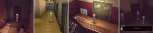
After exiting the dorms, cross the courtyard by going behind the small building where the coffee machine is located, then head to the administrative building's hallway. Walk through it perpendicularly.

Once outside the courtyard, approach the science building and walk along it on the left side. Finally, continue straight ahead to reach the manhole cover leading to the factory. Feel free to chat with the different characters you meet along the way.

Starting up the Supercomputer
Once at the factory, cross the bridge and climb down the rope to reach the cathedral. Call the elevator using the button located to the right of the shaft. This lift connects the three rooms of the complex created by Franz Hopper: the lab (level -1), the scanner room (level -2), and finally the Supercomputer room (level -3). Once inside, use the keypad to go down to the last level.

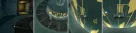
Upon arrival, the Supercomputer is turned off into its cooling chamber. First, bring it out by pressing the keypad located to the left of the elevator door. Then, once it's out, go to the panel facing the elevator door. Click on the buttons on the left side of the panel which has the XANA logo on it to open it. Finally, turn on the Supercomputer by lowering the start-up lever.
Turning on the Supercomputer interface
Go back up to the laboratory level (level -1) using the elevator and head to the interface console. There, the console sets itself up and the seat unfolds automatically, allowing you to sit down in front of the interface.

Turn on the interface by clicking on it and create a user account under the name 'Jeremy'. The computer automatically configures all of the Supercomputer's native programs. Once the interface is running, the 'Virtual Communicator' window will open automatically. Simply click on it to wake up Aelita and start chatting with her.

Installing the remote access program
Once your conversation is over, you will automatically retrieve the 'Remote SC' CD. This CD contains a program that allows remote access to some of the Supercomputer softwares. You must therefore return to your room to install the remote program on your desktop computer.
First, use the 'Leave the Interface' option available in the radial menu (right-click) to leave the 'Interface' view mode. You can then exit the chair by clicking outside the interface.

Use the elevator to go back up to the cathedral (level 0), then head right after exiting the lift. You will then need to walk back across the factory bridge until you are back in Kadic's park.

Once at Kadic, cross the park. A notification will indicate you not to get caught. Continue along the science building. Once in front of it, you will overhear a conversation between Jim and Mr. Delmas. Following this, they will patrol the courtyard to catch any students who have snuck out. Sneak behind them to reach your room without getting caught.

To install the program, you must insert the CD you retrieved into the desktop computer's CD drive. To do this, check the 'Loading a CD on an interface' tutorial. You can then go to sleep once the CD installation is in progress.

Contacting Aelita
The next morning, you will be woken up by Jim announcing to Ulrich that a new student will soon arrive and will be sharing his room.
On your side, check whether the remote program installation worked by trying to contact Aelita. Stand in front of the desktop computer and click on the screen to switch to the 'Interface' view mode.

You must then connect your computer to Lyoko. To do this, initialize the Lyoko connection program and start the connection by entering the following commands in the command terminal.
lyokoconnect
lyokoconnect.on

Once the connection is established, you can contact Aelita using the virtual communicator by entering the following command. Click on the window to start the conversation.
lyokoconnect.vcom
Checking the restored file
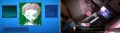
After your conversation with Ulrich, Jeremy receives a notification from Aelita informing him that she has just restored one of his personal files.
Click on the screen to switch to the 'Interface' view mode, then open the 'Personal Diary' folder located in the center of the screen. In the 'Folder' window, open the file named '2003_09_03' by clicking on it.
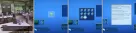
Once you have read the file, you can leave the cafeteria to head to the factory after listening to some gossip from the other students, of course.
Hidden Secret
In the cafeteria, go up to the camera to find the 1st volume of the comic book 'Superpion' on a table. It was probably left here by Jim…
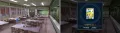

Part 2: The virtual world
Discovering the virtual worlds
After your discussion with Aelita, the holomap, i.e., the holographic projection system located in the center of the lab, activates. Clicking on it opens an interface containing information about different elements of the virtual worlds (Lyoko, towers, encrypted towers…). This glossary can be accessed at any time by clicking on the holomap again.
Make sure to read some of the information, especially about the towers, before continuing with the story.
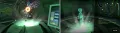
You must then try to guide Aelita from the tower she's currently in to a different tower. To do this, start by locating her on Lyoko using the 'Virtual Map'.
vmap
vmap.aelita

The 'Virtual Map' is essential to monitor what is happening in Lyoko. You can use your mouse wheel to control the zoom level. Hold down the left mouse button and move your mouse to rotate the camera. Finally, you can move the camera by directly clicking on an element (tower, lyoko warrior, monster, etc.) on the map or freely by holding the Ctrl key and left-clicking.
When you locate a lyoko warrior using the 'Virtual Map', it automatically opens their communication card. This map allows you to fully control the character in the virtual world (movement, actions…). So, to ask Aelita to exit the tower, simply click on the 'Get Out Tower' option in her 'Com. Card'.

Once outside, ask Aelita to go to tower number 8. To do this, still in her communication card, click on the 'Locations' option, then on the 'Tower 8' option. Aelita will automatically head toward the tower. You can click on the image in her 'Com. Card' to attach the 'Virtual Map' camera to her.

Seeing Aelita moving on her own, XANA will take the opportunity to attack her with Kankrelats. However, the young girl has no weapons or powers to fight monsters. Her only solution is to flee the battle. In the 'Battle' window, choose the 'Flee' option; Aelita will then continue on her way, dodging the enemies in her path.
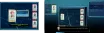
Once she is near tower number 8, quickly ask her to take refuge inside using the 'Get In Tower' option found in the 'Actions' tab of her 'Com. Card'.
Fetching a drink
Back at school, go get a drink from the vending machine in the building at the center of the courtyard. Enjoy the final cinematic to finish the chapter.